

Cart
My Account IconMy AccountBook Extras IconBook ExtrasCart IconCart

⏳ Final Days: Save 25% + Free Shipping on Homeschool Curriculum

*Sale ends Aug. 31. Free shipping terms apply.

Make the most of your ClassWallet funds by choosing Apologia’s trusted, Christ-centered homeschool curriculum. With a reputation for excellence, Apologia offers comprehensive science, math, Bible, and language arts courses designed to nurture a lifelong love of learning.

Use Your ESA Funds with ClassWallet Marketplace

IMPORTANT: Before placing an order, you must be approved with your state’s ESA.
How to Place Your Order

  • Log in to your state’s ESA portal.
  • Find Apologia in the Marketplace.
  • Shop for your desired products and add them to your cart.
  • Once you have added your items, click the “View cart” button
  • Scroll down to the bottom and click the “Proceed to checkout” button
  • Click Place Order using the ClassWallet payment method

Receiving Your Order

  • Once your order has been approved by ClassWallet, it will be processed by Apologia
  • Once processed, you will receive a shipping notification, and your order will be shipped to you

Access Digital Products

  • Digital products purchased (i.e., audiobooks, video lessons, Self-Paced, or AutoGrade+) will be accessible through your Apologia account using the email used to place your order.

Use Your ESA Funds with ClassWallet Screenshots

Select Your Products

  • Shop Apologia.com for your desired products and add them to your cart.
  • Once you have added your items, click the “View cart” button
  • Scroll down to the bottom and click the “Proceed to checkout” button
  • Create an account or log in with your existing account
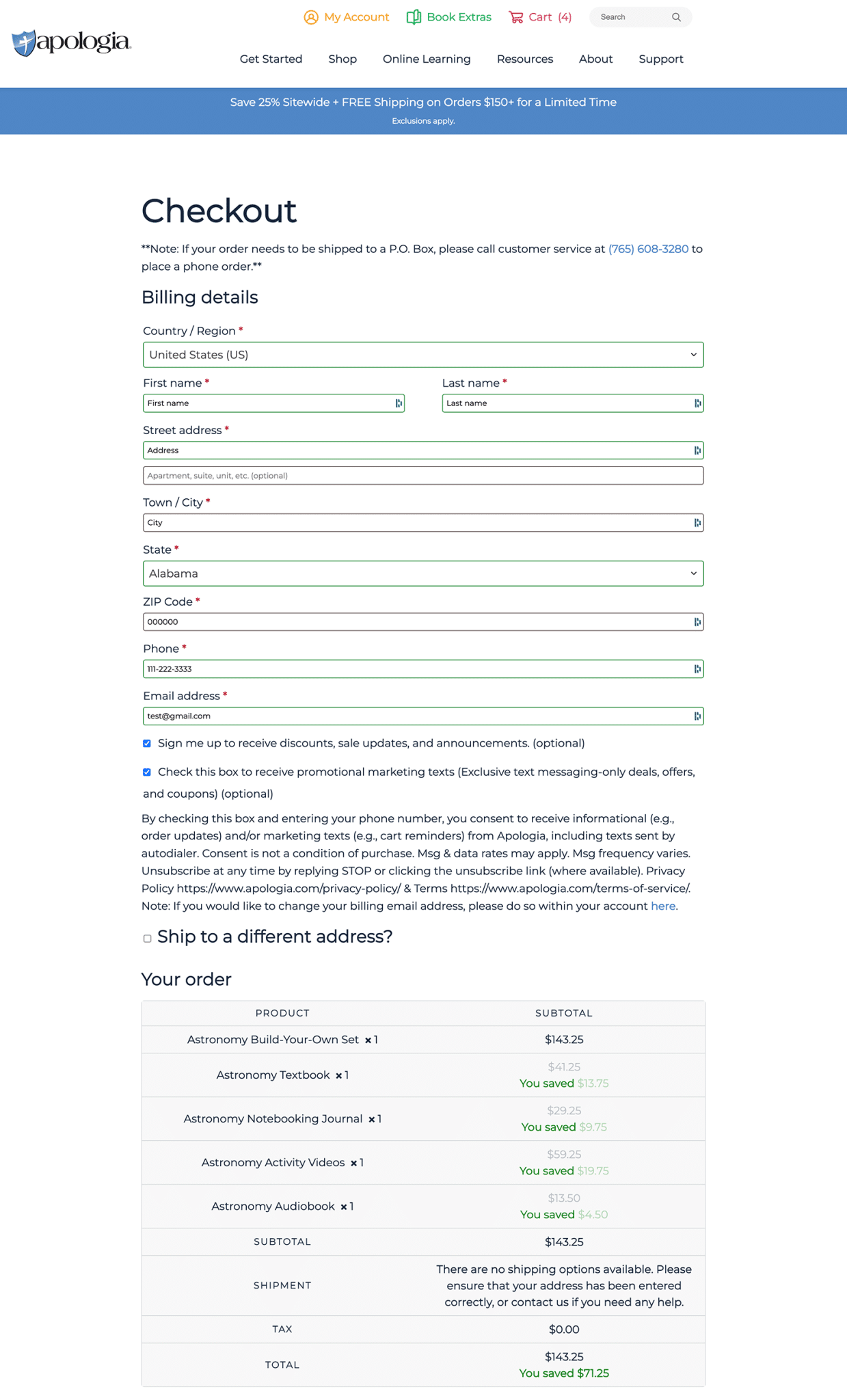
  • Take a screenshot of the shopping cart summary and total. The screenshot will need to include your contact information, shipping cost, and the total of your order. Here’s a screenshot example:
    ClassWallet Screenshot

Upload Your Order Information to ClassWallet

  • Log in to your ClassWallet account and go to the following;
    • Pay vendor link
    • Choose the correct vendor
    • Follow the additional prompts to upload images or files
  • Upload a screenshot of the order summary to your ClassWallet account. It is OK to upload multiple pages if the order requires more than one screen capture.
  • You’re done!

What Happens Next?

  • ClassWallet will turn that image into an order and send it to Apologia, along with payment.
  • Apologia will then process the order and send it to our fulfillment center for shipping to you.